Zombie Killer
How to Play Zombie Killer
To start playing Zombie Killer, left click the play button at the center of the welcome screen or tap it on your touchscreen device. On desktop, use the up and down arrow keys to move your soldier vertically between lanes. Switch between available weapons by pressing the 1, 2, or 3 keys on your keyboard. Press the A key to shoot zombies and the S key to summon a helpful helicopter during tough waves.
For touchscreen devices, use the on-screen controls located at the bottom of the screen. Tap the up and down buttons on the bottom left corner to move vertically. Switch weapons by tapping the weapon buttons in the center bottom area. On the bottom right, tap the helicopter button to call in air support and the shoot button to fire at approaching zombies. These controls provide a seamless experience whether you prefer keyboard or touch gameplay.
What is Zombie Killer?
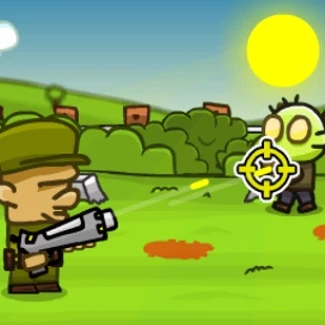
Zombie Killer is a thrilling free online browser game where players take on the role of a soldier battling relentless waves of zombies. Designed for both desktop and touchscreen devices, this unblocked game offers fast-paced action and strategic weapon management. Players can easily jump into the fight by selecting the play button and navigating through vertically arranged lanes to eliminate incoming threats. Its intuitive controls and engaging gameplay make it an ideal choice for anyone looking to play now without downloads or restrictions.
Gameplay & Features
- Vertical movement between lanes using arrow keys or touchscreen buttons for precise positioning.
- Multiple weapon choices toggled with number keys or on-screen buttons to adapt to different zombie types.
- Ability to summon a helicopter for powerful assistance during intense waves.
- Keyboard and touch controls fully supported, making it accessible on desktop and mobile devices.
- Fast-paced shooting mechanics with the A key or on-screen shoot button for immediate response.
- Simple, clean interface that focuses on action without distractions.
- Unblocked gameplay suitable for school or work environments.
- Free to play with no hidden fees or in-app purchases.
Related & Series Games
If you enjoy Zombie Killer, you’ll love exploring titles like Zomblox, which challenges players with block-based zombie defense strategies. Stickman vs Zombies: Epic Fight offers dynamic stickman combat against hordes of zombies, perfect for fans of keyboard and touch controls. SWAT vs Zombie brings tactical gameplay where you command a SWAT team to eradicate zombie threats using precise shooting mechanics. For those who want a straightforward shooting experience, Zombie Buster provides quick reflex challenges in a web-based format. These web browser games complement Zombie Killer’s fast-paced, accessible style and keep the zombie-slaying excitement going.
Tips & Strategies
- Constantly switch weapons using keys 1, 2, and 3 or on-screen buttons to effectively handle different zombie types.
- Use vertical movement to dodge large zombie groups and position yourself for optimal shooting angles.
- Summon the helicopter strategically with the S key or helicopter button to clear overwhelming waves.
- Practice using both keyboard and touchscreen controls to find your preferred play style.
- Keep shooting continuously with the A key or shoot button to prevent zombies from advancing.
- Stay alert and anticipate zombie patterns to maximize survival time and score.
FAQ
- Is Zombie Killer free to play? Yes, it is completely free and accessible online.
- Can I play Zombie Killer on my mobile device? Absolutely, it supports touchscreen controls for mobile play.
- Is Zombie Killer unblocked at school or work? Yes, it is designed as an unblocked browser game.
- Do I need to download anything? No downloads are required; just open your browser and play now.
- What controls does the game support? Keyboard controls (arrow keys, number keys, A and S keys) and on-screen touch controls for mobile devices.