Zomblox
How to Play Zomblox
On PC:
- Use WASD keys to move your character around.
- Move your mouse to look around and aim your weapon.
- Press left mouse button to shoot zombies.
- Switch weapons with keys 1, 2, and 3.
- Press 4 to throw a grenade and 5 to throw a cat.
- Pick up items by pressing E.
- Reload your weapon with the R key.
- Jump over obstacles by pressing the Space bar.
On Mobile:
- Use the left joystick on the screen to move your character.
- Swipe on the right side of the screen to look around and aim.
- Tap the on-screen buttons to shoot, jump, pick up items, and switch weapons.
- Use dedicated buttons for throwing grenades and cats.
Master these controls to survive the pixelated zombie chaos and enjoy this free online browser game anywhere.
What is Zomblox?
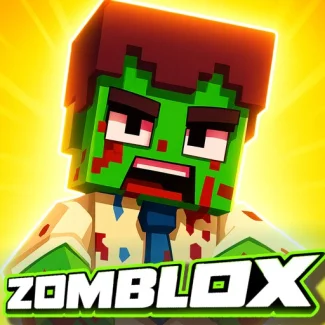
Zomblox is a thrilling free online FPS shooter that combines elements from popular games like CS, Minecraft, and Roblox. Set in a pixelated world, players must survive a school overrun by zombies while rescuing friends and collecting memes. The game offers an intense yet fun experience as you face off against the terrifying Zombalina Teachrina, a zombified teacher turning everyone into undead creatures. Designed as a browser game, Zomblox is accessible anywhere, making it perfect for quick play sessions or extended gaming marathons. Its unique blend of shooting mechanics and survival gameplay delivers an engaging challenge for players of all skill levels.
Gameplay & Features
- Fast-paced FPS action with pixel-art graphics reminiscent of Minecraft and Roblox.
- Multiple weapons including guns, grenades, and quirky items like throwable cats.
- Dynamic enemy AI featuring zombified classmates and the boss Zombalina Teachrina.
- Free to play online with no downloads required, fully unblocked for browser access.
- Supports both keyboard/mouse controls on PC and intuitive touch controls on mobile devices.
- Exploration and item collection add depth to the survival experience.
- Engaging storyline set in a zombie-infested school environment.
- Multifaceted combat mechanics including weapon switching and reloading.
- Pixelated chaos that appeals to fans of casual and competitive FPS games alike.
Related & Series Games
If you enjoy Zomblox, try Stickman vs Zombies: Epic Fight for intense stickman action battling hordes of zombies with smooth keyboard controls. SWAT vs Zombie offers tactical gameplay where you command a SWAT team against the undead, perfect for players who like strategic shooting in browser games. Zombie Buster delivers fast-paced zombie shooting action with simple controls optimized for both PC and mobile users. Fans of tower defense will love Plants vs Zombies, a classic browser game that combines strategy and fun with easy touch and keyboard mechanics. These titles expand on the zombie survival theme, providing diverse gameplay styles and challenges to enjoy online and unblocked.
Tips & Strategies
- Keep moving using WASD or the left joystick to avoid getting surrounded by zombies.
- Switch weapons frequently (keys 1/2/3) to adapt to different enemy types and conserve ammo.
- Use grenades and throwable cats strategically to clear groups of zombies quickly.
- Reload during safe moments to avoid being caught off guard.
- Collect items by pressing E or tapping the pick-up button to strengthen your arsenal.
- On mobile, master swiping on the right side of the screen for precise aiming and shooting.
- Jump (Space or on-screen button) to evade attacks and reach higher ground for better positioning.
- Focus on rescuing friends early to gain allies and extra points.
- Stay alert for the Zombalina Teachrina boss fight and learn her attack patterns.
FAQ
Is Zomblox free to play? Yes, Zomblox is completely free and accessible online without any cost.
Can I play Zomblox unblocked in school or work? Yes, it is designed as an unblocked browser game suitable for restricted networks.
Does Zomblox work on mobile devices? Absolutely, it supports touch controls optimized for phones and tablets.
Do I need to download anything to play? No downloads are required; just open your browser and play now.
Are there multiplayer features? Currently, Zomblox focuses on single-player survival gameplay.