Puppet Master
How to Play Puppet Master
Playing Puppet Master is simple and intuitive. Use your mouse to click anywhere on the screen to throw or shoot the currently equipped weapon at the puppet. Aim carefully to maximize damage and trigger ragdoll reactions. As you cause more damage, you will unlock new and more powerful weapons automatically. On mobile or touchscreen devices, tap the screen to throw or shoot weapons. There are no complex controls, making it easy to jump in and play now. Focus on timing your shots and experimenting with different weapons to find what works best. The game does not require keyboard input, but if you prefer, you can use keyboard shortcuts for weapon switching if available. Enjoy the smooth, responsive controls designed for both desktop and mobile gameplay.
What is Puppet Master?
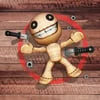
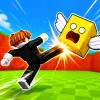
Puppet Master is a thrilling free online clicker game of destruction developed by FreezeNova, perfect for anyone looking to relieve stress or enjoy some casual fun. In this unique browser game, players get to unleash their frustration on a ragdoll toy puppet by using an ever-growing arsenal of weapons. Whether you want to throw knives, shoot with a machine gun, or launch powerful rockets, Puppet Master offers an exciting and satisfying experience. Each hit causes ragdoll physics-based reactions, making the game both visually entertaining and engaging. As you progress, you unlock more devastating weapons, proving your skills as the ultimate Puppet Master. The game’s simple controls and quick gameplay loops make it ideal for quick sessions or longer playtimes. Its unblocked status means you can play now from virtually anywhere without restrictions. The fun and chaotic destruction combined with strategic weapon upgrades create a perfect balance between casual and action gameplay. This browser game is optimized for mouse control but can also be enjoyed on touchscreen devices, making it accessible across platforms.
Gameplay & Features
- Free to play and easily accessible as an unblocked browser game
- Intuitive mouse controls for shooting and throwing weapons
- Wide variety of weapons including knives, machine guns, and rockets
- Realistic ragdoll physics for dynamic puppet reactions
- Progressive unlock system that rewards damage dealt
- Stress-relief gameplay with satisfying destruction mechanics
- Quick to start and fun for short or extended play sessions
- Compatible with touchscreen devices for mobile play
- Engaging visual effects and sound design enhance immersion
- Perfect for players who enjoy casual action and clicker games
Related & Series Games
If you enjoy Puppet Master, you should also try Puppet Soccer Challenge, another engaging browser game that mixes ragdoll physics with soccer mechanics. Puppet Soccer Challenge offers a fun twist by letting you control quirky puppets using keyboard or touch controls to score outrageous goals. Its gameplay is easy to pick up yet offers depth through skill-based ball control and strategic shots. Both games share the same playful ragdoll style, making them perfect companions for fans of physics-based browser games. Whether you prefer throwing weapons or scoring goals, these titles provide hours of unblocked, free entertainment directly in your browser.
Tips & Strategies
- Focus on upgrading weapons that deal the most damage quickly to unlock new gear faster.
- Use the mouse to aim carefully and time your throws for maximum impact.
- Experiment with different weapons to find your favorite play style.
- Keep an eye on weapon cooldowns and reload times to maintain a steady attack.
- Take breaks between rounds to avoid fatigue and keep gameplay fresh.
- Try playing on a touchscreen device for intuitive flick throws and taps.
FAQ
- Is Puppet Master free to play? Yes, it is completely free and accessible online.
- Can I play Puppet Master unblocked at school or work? Yes, this browser game is unblocked and playable from most networks.
- What devices can I play Puppet Master on? You can play it on any device with a web browser, including desktops, laptops, and mobile devices.
- Do I need to download anything? No downloads are required; just open the browser and play now.
- What controls are used? The mouse is used for aiming and shooting, and touch controls work on mobile.