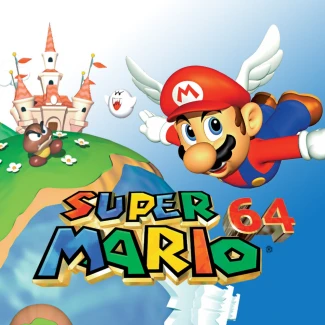
Super Mario 64
How to Play Super Mario 64
Use the WASD keys or arrow keys to move Mario around the 3D environment. Press the Spacebar to jump, and combine it with movement keys for long jumps or wall kicks. Use the Mouse to control the camera angle by clicking and dragging, giving you full 360-degree views. On mobile devices, swipe your finger on the screen to move Mario and tap the jump button to perform jumps. Pinch to zoom or drag to adjust the camera perspective. Explore levels freely by moving Mario through open courses, solving puzzles, and collecting Power Stars. Timing your jumps and learning Mario’s moveset will help you overcome obstacles and enemies. Press Shift to run faster and Ctrl for crouching or crawling under low spaces. The intuitive controls make it easy to jump into the adventure whether you’re on a desktop or a touch device.
What is Super Mario 64?
Super Mario 64 is a groundbreaking 3D platformer released in 1996 for the Nintendo 64, developed and published by Nintendo. It revolutionized gaming by introducing a fully three-dimensional world where players control Mario as he explores Princess Peach's castle and its surrounding courses. The main objective is to collect Power Stars by completing unique challenges, such as defeating bosses, winning races, and solving puzzles. This game set a new standard for open-world exploration and character control in platformers, making it a timeless classic for players of all ages.
Gameplay & Features
- Intuitive analog stick movement allowing precise control over Mario's speed and direction.
- A variety of context-sensitive jumps including long jumps, wall kicks, and triple jumps to navigate complex environments.
- Open-ended level design where players can choose which Power Stars to pursue in any order, fostering exploration and replayability.
- Large, colorful 3D courses filled with secrets, enemies, and environmental puzzles.
- Responsive controls that give a fluid sense of momentum and freedom in movement.
- Classic Mario power-ups and enemies adapted for 3D gameplay.
- Immersive soundtrack and charming graphics that capture the essence of the Mario universe.
- Support for keyboard controls and touch gestures in online browser versions, making it accessible to play now for free and unblocked anywhere.
- Perfect blend of challenge and fun, suitable for both casual players and speedrunners.
Related & Series Games
If you enjoy Super Mario 64, you might also love other exciting web-based browser games that offer unique gameplay mechanics and keyboard or touch controls. SuperHot is a stylish, time-bending shooter where every move counts, perfect for players who enjoy tactical thinking. Supercars Puzzle challenges your problem-solving skills with engaging car-themed puzzles that can be played easily on any device. Fans of classic platforming will appreciate Super Mario Bros, which brings the iconic 2D Mario adventure to the browser with simple controls and nostalgic fun. For adrenaline junkies, Superbike Hero offers thrilling motorcycle racing action with smooth controls optimized for both keyboard and touchscreens. Each of these games provides a fresh experience while maintaining the accessibility of online, free, and unblocked gameplay.
Tips & Strategies
- Master Mario’s various jumps early to navigate levels efficiently and access hidden areas.
- Explore every corner of each course to find all Power Stars and unlock secret stages.
- Use the analog stick or keyboard keys for precise movement to avoid enemy attacks and environmental hazards.
- Practice timing for wall kicks and long jumps to reach difficult platforms.
- Replay levels to improve your speed and discover alternate routes for faster completion.
- Stay patient and experiment with different approaches to puzzles and boss battles.
- Use the camera controls to get the best view of your surroundings and plan your next move.
FAQ
Is Super Mario 64 free to play online? Yes, you can play Super Mario 64 for free in your browser as a fully unblocked online game.
Can I play Super Mario 64 on mobile devices? Absolutely, the game supports touch controls for seamless play on smartphones and tablets.
Do I need to download anything to play? No downloads are required; simply load the browser game and play now instantly.
Is the game suitable for all ages? Yes, Super Mario 64 is family-friendly and enjoyable for players of all skill levels.
Are there any cheats or hacks available? The online version focuses on fair play, but some levels have hidden secrets to discover legitimately.