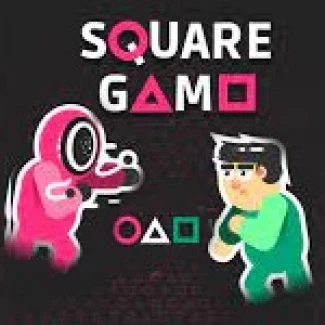
Square Game
How to Play Square Game
Start by clicking the 'Start Game' button on the welcome screen. Your progress will be saved automatically in your browser.
- Desktop Controls: Use your mouse to left click for selecting options and navigating the game. Click or tap anywhere on the screen to run or stop during Red Light, Green Light. For Knife Game, left click once to attack with your knife and click-and-hold to move your character.
- Touchscreen Controls: Tap on-screen buttons or anywhere on the screen to interact. Tap to run or stop in Red Light, Green Light. Tap once for knife attacks and tap-and-hold to move in Knife Game.
- Level Selection: Play any unlocked minigame in any order. Unlock new sublevels by completing levels sequentially.
- Game Specific Tips: For Dalgona Candy, carefully carve along the candy shape using mouse or finger. In Tug of War, rapidly press the glowing buttons to pull the rope. For Marble Game, time your shot by holding and releasing the launch button to get marbles into the circle. In Glass Bridge, observe the white sheen on safe glass panes to memorize safe steps.
What is Square Game?
Square Game is an exciting free online browser game inspired by the intense challenges of the Squid Game series. Players engage in a thrilling competition across 270 levels featuring eight unique minigames such as Red Light, Green Light, Dalgona Candy, Tug of War, Marble Game, Glass Bridge, Knife Game, and the titular Square Game. The objective is to outsmart and survive each round, with your progress automatically saved in your web browser. Designed for both desktop and touchscreen devices, this unblocked game offers seamless play now access anytime and anywhere. Its immersive gameplay combines strategic thinking, quick reflexes, and memory skills, making it a captivating experience for fans of survival and puzzle games alike.
Gameplay & Features
- Play all eight challenging minigames with unique objectives and controls.
- Unlock and replay sublevels at your own pace, with a total of 270 sublevels across 6 rounds.
- Intuitive controls: mouse clicks or taps for navigation and interaction.
- Automatic game progress saving in your browser ensures no loss of data.
- The Glass Bridge round tests your memory with visual cues rather than luck.
- Knife Game round demands precision and timing to defeat opponents.
- Each minigame features increasing difficulty and complexity for extended replayability.
- Engaging mechanics suitable for keyboard, mouse, and touchscreen play.
- Free and unblocked, ensuring easy access via any modern web browser.
- Perfect for quick sessions or extended play with progressive challenges.
Related & Series Games
Explore more thrilling challenges with the Red Light Green Light game, where timing and stealth are key to survival. Test your precision and patience in Dalgona Candy, a delicate carving challenge perfect for touchscreen and mouse controls. If you love team battles, try Tug of War, a fast-paced button mashing contest that demands quick reflexes and strategy. For puzzle enthusiasts, Marble Game offers a unique aiming and shooting experience requiring gentle control and perfect timing. Finally, Glass Bridge sharpens your memory and decision-making skills as you navigate a perilous path. All these games are browser-based and playable on both keyboards and touchscreens, providing versatile and accessible gameplay for all players.
Tips & Strategies
- In Red Light, Green Light, prioritize caution over speed to avoid elimination.
- During Dalgona Candy, keep steady hands and follow the outline carefully to succeed.
- For Tug of War, maintain a consistent rhythm when pressing buttons to overpower your opponents.
- In Marble Game, aim gently and spread out shots to prevent marbles from knocking each other out.
- Memorize the safe glass panes in Glass Bridge by observing the initial white sheen carefully.
- In Square Game, use quick taps to attack and hold clicks to move strategically to survive.
- Replay unlocked sublevels to master controls and improve your reaction time.
- Utilize mobile gestures or mouse clicks effectively depending on your device.
FAQ
Is Square Game free to play? Yes, the game is completely free and accessible online.
Can I play Square Game on my mobile device? Absolutely, it supports touchscreen controls for mobile devices.
Is the game unblocked for school or work? Yes, Square Game is unblocked and can be played in most restricted environments.
Do I need to download anything? No download is required; simply play now directly in your browser.
Is my progress saved? Yes, your game progress is automatically saved in your web browser for convenience.