Blumgi Ball
How to Play Blumgi Ball
- Aim and Shoot: Click and hold the left mouse button (or tap and drag on touch devices) to pull back the slingshot indicator. Adjust the angle and intensity by dragging the cursor or finger. Release to throw the ball towards the hoop.
- Teleport to Ball: Press the space bar on your keyboard to instantly teleport next to the ball after you’ve thrown it, allowing for quick repositioning and combo opportunities.
- Mobile Controls: Use touch drag to aim and release to shoot. Tap the teleport button on-screen (if available) or double-tap near the ball to teleport next to it.
- Level Progression: Complete each level by successfully getting the ball through the hoop. Earn points to unlock new characters and advance through increasingly challenging stages.
What is Blumgi Ball?
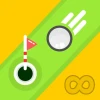
Blumgi Ball is a captivating free online sports browser game that uniquely blends platforming and puzzle-solving elements. The core objective is to get the ball through the hoop, reminiscent of classic basketball, but with an inventive twist. Players use a slingshot mechanic to control the ball's trajectory and intensity, making each shot a test of skill and precision. What sets Blumgi Ball apart is the exciting teleportation ability, allowing players to instantly move next to the ball to execute chain combos and stylish dunks. This innovative feature adds depth and creativity to the gameplay, making it engaging and fresh. The vibrant, colorful levels are filled with surprises that challenge players to think strategically and improve their timing. Each completed level rewards points that unlock new characters, encouraging continued play and exploration. Blumgi Ball is perfect for anyone looking to play now in a fun, unblocked environment without downloads.
Gameplay & Features
- Slingshot shooting system for intuitive ball control using mouse or touch drag and release.
- Teleportation ability activated by the space bar to strategically position next to the ball.
- Creative levels combining platform and puzzle elements with vibrant, dynamic designs.
- Points earned after completing levels to unlock a variety of cool new characters and skins.
- Chain combo mechanics that reward skillful play and stylish dunks.
- Free to play online with no downloads required, fully accessible as an unblocked browser game.
- Simple controls optimized for keyboard and mouse, also suitable for touch devices.
Related & Series Games
If you enjoy the unique gameplay of Blumgi Ball, explore the rest of the Blumgi series for more fun and innovative browser games. Blumgi Merge offers addictive merging mechanics combined with colorful graphics, perfect for players who love puzzle challenges with simple keyboard or touch controls. Blumgi Paintball delivers fast-paced shooting action where accuracy and quick reflexes on the keyboard or touchscreen are key to winning matches. For fans of calming yet engaging gameplay, Blumgi Bloom provides a relaxing garden-building experience with intuitive controls suitable for all ages. Lastly, Blumgi Slime brings a quirky slime-themed platform adventure that emphasizes smooth movement and timing, ideal for keyboard or touch gameplay. These browser games continue the Blumgi tradition of creative design and accessible, free-to-play fun.
Tips & Strategies
- Master the slingshot by practicing different pull-back intensities to control ball trajectory precisely.
- Use teleportation wisely to position yourself for combo shots and to recover quickly after a throw.
- Observe each level’s layout carefully to plan the best angles and timing for your shots.
- Focus on chaining dunks to maximize points and unlock new characters faster.
- Stay patient and experiment with different strategies, as some levels require creative thinking beyond straightforward shots.
- Play regularly to improve your reflexes and familiarize yourself with each level’s unique challenges.
FAQ
- Is Blumgi Ball free to play? Yes, Blumgi Ball is completely free and accessible online.
- Can I play Blumgi Ball unblocked at school or work? Yes, it is an unblocked browser game designed for easy access.
- Do I need to download any software? No downloads are required; just open your browser and play now.
- What controls does Blumgi Ball use? Use the mouse to aim and shoot, and press the space bar to teleport next to the ball. Touch screen controls are supported as well.
- Are there any character unlocks? Yes, points earned from levels unlock new and cool characters to use.