Block Craft 3D
How to Play Block Craft 3D
PC Controls:
- Move Character: W, A, S, D keys
- Jump: Space bar
- Toggle Flight Mode: F key (On/Off)
- Fly Up (in flight mode): Space bar
- Fly Down (in flight mode): Shift key
- Open Inventory: E key
- Save Map: Q key
- Break Block: Left mouse button
- Place Block: Right mouse button
- Change Selected Block: Mouse wheel scroll
Mobile Controls:
- Character Movement: Arrow buttons (lower left corner)
- Jump: Down arrow button (lower right corner)
- Toggle Flight Mode: Wings button (upper right corner)
- Fly Up/Down (in flight mode): Arrow buttons (lower right corner)
- Open Inventory: Tap block panel (bottom center)
- Save Map: Tap file button (top center)
- Enable Block Placement Mode: Tap cube button (upper left corner)
- Break Block: Tap screen
- Place Block (when block mode enabled): Tap screen
- Change Current Block: Yellow arrow buttons
What is Block Craft 3D?
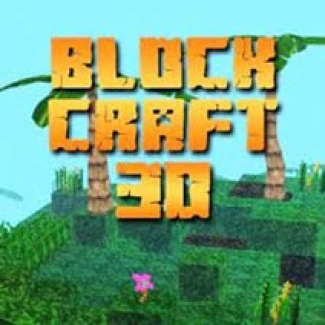
Block Craft 3D is an exciting free online browser game that invites players to unleash their creativity by building a wide variety of structures using colorful blocks. Inspired by Minecraft, this unblocked game lets you craft everything from cozy cottages to towering skyscrapers with ease. Its intuitive interface and simple tools make it accessible for players of all skill levels to play now and start constructing immediately. Whether you prefer PC or mobile gameplay, Block Craft 3D offers smooth controls and endless creative possibilities in a vibrant 3D world.
Gameplay & Features
- Free to play online with no downloads required
- Choose from numerous block types, colors, and textures
- Build unique houses, castles, and complex architectural designs
- Simple and user-friendly interface suitable for both keyboard and touch controls
- Flight mode for easy navigation and building from different perspectives
- Save your maps and creations to revisit or share
- Compatible with PC and mobile devices for flexible play
- Unblocked access ensures you can enjoy the game from any browser
Related & Series Games
If you enjoy Block Craft 3D, explore similar engaging browser games that challenge your puzzle-solving and building skills. Block Blast Puzzle offers a fun and addictive block-matching experience perfect for quick brain teasers. Wood Block 3D lets you stack wooden blocks carefully to create stable towers, testing your precision and patience. For fans of action and agility, Stickman Parkour 2: Lucky Block combines parkour challenges with lucky block surprises, delivering thrilling keyboard and touch gameplay. Lastly, Block Connect is a classic puzzle game where you connect matching blocks to clear the board, ideal for casual players who love strategic thinking.
Tips & Strategies
To excel in Block Craft 3D, start by planning your building layout before placing blocks to avoid unnecessary rebuilding. Use flight mode to get a bird's-eye view for better spatial awareness and precision. Experiment with different block combinations to make your designs stand out. Save your progress frequently to prevent loss of your creations. When playing on mobile, familiarize yourself with the touch controls to build efficiently. Take advantage of the unblocked browser access to play anytime without restrictions.
FAQ
Is Block Craft 3D free to play? Yes, the game is completely free to play online.
Can I play Block Craft 3D on my phone? Absolutely, it supports touch controls optimized for mobile devices.
Is Block Craft 3D unblocked? Yes, it is accessible as an unblocked browser game.
Do I need to download anything to play? No downloads are required; just open your browser and play now.
What controls are used on PC? Keyboard keys WASD for movement, mouse buttons for block placement and breaking, and keys like E for inventory.