3D Car Simulator
How to Play 3D Car Simulator
- Drive: Use WASD or arrow keys to steer your vehicle smoothly across different terrains.
- Change Vehicle: Press keys 1, 2, or 3 to switch between rally car, exotic police vehicle, and muscle car.
- Handbrake: Hit the spacebar to perform sharp turns and controlled drifts.
- Change Camera View: Press C to cycle through various camera angles, including first-person and scenic views.
- Shift Vehicle: Hold Shift to boost your speed temporarily.
- Reset Game: Press R to restart the entire game if needed.
- Reset Vehicle: Press G to reset your current vehicle’s position.
- Police Lights: Press E to toggle police lights on exotic police vehicles for added realism.
- Mobile Controls: Use on-screen touch buttons to steer, accelerate, brake, and switch vehicles for seamless gameplay on smartphones and tablets.
What is 3D Car Simulator?
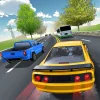
3D Car Simulator is an exciting free online browser game that lets you experience the thrill of driving various high-speed vehicles across diverse terrains worldwide. This unblocked game offers players the chance to control rally cars, exotic police vehicles, and powerful muscle cars, each with unique handling and performance characteristics. With stunning 3D graphics and realistic physics, players can switch camera angles, including a first-person view that immerses you in a high-speed ride. Whether playing solo or sharing the experience with friends, 3D Car Simulator delivers endless fun and adrenaline-pumping action directly in your browser. Play now and enjoy fluid controls and dynamic environments without any downloads or restrictions.
Gameplay & Features
- Drive modified cars with distinct speed and handling styles
- Switch between rally cars, muscle cars, and exotic police vehicles
- Change camera angles for scenic views and immersive first-person perspectives
- Engage police lights to add realism and excitement
- Use intuitive keyboard controls designed for smooth gameplay
- Reset vehicles or the entire game quickly for uninterrupted fun
- Unblocked and free to play online anytime, anywhere
- Multiplayer sharing option to play with friends
- Browser-based game requiring no installation
Related & Series Games
If you enjoy 3D Car Simulator, check out these thrilling sequels and similar titles. 3D Car Simulator 2 expands the driving experience with upgraded graphics and new vehicle types, perfect for keyboard and touch control enthusiasts. Extreme Car Simulator offers more intense physics and stunts, making it a must-play for adrenaline lovers. For those who prefer police chases, Police Car Simulator delivers immersive missions with smooth controls optimized for both desktop and mobile devices. Rally Car Challenge focuses on off-road racing with precise keyboard and touch responsiveness, ideal for competitive players. Lastly, Muscle Car Madness lets you dominate the streets with powerful engines and easy-to-master controls, making it a perfect companion to 3D Car Simulator.
Tips & Strategies
To maximize your enjoyment and performance in 3D Car Simulator, start by mastering the WASD or arrow keys for smooth steering and acceleration. Use the spacebar handbrake to execute sharp turns and drifts, especially on tricky corners. Switch vehicle types with keys 1, 2, and 3 to find your preferred driving style. Changing camera views with the C key can improve your spatial awareness and reaction times. Don’t hesitate to reset your bike or the game with G and R if you get stuck or crash. Activate police lights with E to enhance your immersive role-play experience. Practice regularly to get a feel for each vehicle’s unique handling, and invite friends to play now for competitive multiplayer fun. Remember, patience and control are key to mastering high-speed driving in this unblocked browser game.
FAQ
Is 3D Car Simulator free to play? Yes, it is completely free and accessible online without any fees.
Can I play 3D Car Simulator in my browser? Absolutely, it’s a browser game that requires no downloads or installations.
Is the game unblocked at school or work? Yes, 3D Car Simulator is designed to be unblocked and playable on most networks.
What devices support 3D Car Simulator? It supports both desktop and mobile devices with keyboard or touch controls.
Can I play with friends? Yes, you can share the game and play together online.