Master Balance
description
What is Master Balance?
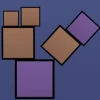
Master Balance is a captivating free online physics-based browser game that tests your precision, focus, and strategic thinking. In this unblocked game, players must carefully stack and balance various shapes including blocks, planks, and uniquely shaped objects on unstable platforms. Each level introduces more complex challenges with tighter spaces and new shapes, making it essential to plan every move carefully to avoid toppling your structure. The game's addictive nature and smooth mouse controls make it easy to pick up but difficult to master, ensuring hours of engaging gameplay. Whether you're looking to play now for a quick brain teaser or aiming for high scores, Master Balance offers a perfect balance of fun and challenge.
Gameplay & Features
- Intuitive mouse controls for precise placement of shapes.
- Increasing difficulty with new shapes and tighter balancing spaces in each level.
- Physics-based gameplay requiring steady hands and sharp focus.
- Free and unblocked access in your browser with no downloads needed.
- Engaging puzzles that sharpen spatial reasoning and problem-solving skills.
- Suitable for all ages and perfect for quick play sessions or longer challenges.
- Clean, minimalistic design that keeps the focus on gameplay.
Related & Series Games
If you enjoy the strategic and skill-based gameplay of Master Balance, try other exciting web-based browser games like Chef Knife Master, where you refine your slicing skills with keyboard and mouse controls. For action lovers, Stickman Weapon Master offers fast-paced combat mechanics perfect for keyboard and touch play. Fans of competitive sports-themed games will appreciate Football Masters, featuring intuitive controls suited for keyboard or touch devices. Lastly, Mr. Bouncemasters 2 combines precise timing and physics puzzles, making it a great choice for players who enjoy mastering tricky mechanics in browser games.
Tips & Strategies
- Take your time placing each shape to avoid unnecessary wobbles.
- Focus on balancing heavier objects at the bottom to create a stable foundation.
- Use the mouse carefully to adjust placement until the block feels secure.
- Observe the shape and weight distribution before placing to plan the best stacking order.
- Practice levels multiple times to learn the physics and improve your precision.
- Stay calm and patient; rushing often leads to toppling failures.
FAQ
- Is Master Balance free to play? Yes, it is completely free and accessible online.
- Can I play Master Balance in my browser? Absolutely, it’s a browser game requiring no downloads.
- Is Master Balance unblocked at school or work? Yes, it's designed to be unblocked for easy access anywhere.
- What controls do I use? The game uses simple mouse controls for placing shapes.
instructions
How to Play Master Balance
Use your mouse to click and drag shapes onto the balancing platform. Carefully position each object by moving the cursor to find the perfect spot. Release the mouse button to place the block. Avoid stacking too quickly; take time to align each shape precisely. On mobile devices, tap and drag shapes with your finger to move them, then lift your finger to set them down. There are no keyboard controls required, but steady hands and patience are key to success.