Gomu Goman
description
What is Gomu Goman?
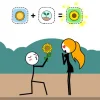
Gomu Goman is a free, online browser game that combines humor and puzzle-solving with unique rubber-like physics. Players control a stretchy character who can extend their neck, arms, and legs to complete creative challenges. Each level presents a new scenario where you might kiss a girl upstairs, steal a cake across the street, or kick away enemies by stretching your limbs in clever ways. The game’s tap-and-drag controls make it easy to play on both desktop and mobile devices, ensuring accessibility for all players. Its quirky, laugh-out-loud scenarios bring a fun twist to classic puzzle gameplay, encouraging players to think outside the box and experiment with different stretches and moves.
Gameplay & Features
- Simple tap-and-drag control mechanics ideal for mouse and touchscreens.
- Hundreds of challenging levels with unique puzzles requiring creativity and humor.
- Physics-based stretching mechanics that allow your character to elongate limbs in any direction.
- Engaging scenarios such as kissing, stealing, and kicking that add a playful narrative.
- Lighthearted art style with amusing animations and characters.
- Browser-based and unblocked for easy access at school or work.
- Free to play with no downloads or installations required.
- Compatible with keyboard, mouse, and mobile touch controls.
Related & Series Games
If you enjoy Gomu Goman, you’ll love exploring its sequels and similar puzzle games that emphasize creative controls and quirky gameplay. For example, Gomu Goman 2 expands on the stretchy mechanics with new levels and more intricate puzzles. Stretchy Hero offers a similar rubbery character experience with additional combat and platforming challenges. Fans of brain-teasing browser games can also try Funny Physics Puzzles, which combines humor with tricky physics problems playable via keyboard or touch. These games keep the spirit of Gomu Goman alive by focusing on intuitive controls and inventive level design, perfect for casual players seeking fun and mental stimulation. All titles are free, unblocked, and playable online, making them perfect companions for your next gaming session.
Tips & Strategies
- Experiment with different stretch directions to discover hidden solutions.
- Use gentle taps for precise movements, especially when aiming for small targets.
- Observe each level carefully before stretching to plan your moves.
- Don’t be afraid to retry levels—some puzzles require trial and error.
- Utilize both mouse and keyboard shortcuts for faster control on desktop.
- On mobile, use smooth drag gestures to control your character’s limbs fluidly.
- Stay patient and enjoy the humorous animations as you progress.
FAQ
- Is Gomu Goman free to play? Yes, it is completely free and accessible online.
- Can I play Gomu Goman online in my browser? Absolutely, the game runs directly in your browser with no downloads.
- Is the game unblocked at school or work? Yes, it is designed to be unblocked and playable on most networks.
- What controls are supported? Mouse, keyboard (WASD), and mobile touch controls are all supported.
- Do I need to register or pay? No registration or payment is required to play.
instructions
How to Play Gomu Goman
Playing Gomu Goman is simple and fun. Use these controls to master the stretchy mechanics:
- Desktop: Use your mouse to tap and drag your character’s limbs to stretch them in any direction. Alternatively, use the WASD keys to nudge your character’s body parts if available.
- Mobile: Tap on the character's limbs and drag your finger to extend or retract them smoothly. Pinch or swipe gestures are not required; simple drag controls suffice.
- Objective: Each level requires you to complete tasks by creatively stretching your character, such as kissing a character upstairs, stealing objects, or kicking away enemies.
- Tips: Pause and analyze the level before stretching. Experiment with different angles and lengths to find the solution.